 Fordee
Herbistry Music Player
The now-playing card you know from your phone, right inside Final Cut Pro. Free.
About
Herbistry Music Player drops the now-playing card you know from your phone straight onto your Final Cut timeline. Add your album art, type in the track and the artist, and you have a clean, modern music-streaming-style player on screen. Seven skins from frosted glass to bold art panels, three card shapes for a reel, a feed post, or widescreen, and a background that is see-through, so whatever you put underneath shows right through.
It is a generator, so it rides on its own layer over your footage or one of the music visualizers. The waveform pulses to a tempo you type, the card sizes and re-shapes to fit any project, and there is no key, no watermark, and no catch. Free, and yours to keep.
macOS 13.5 (Ventura) or later · Apple Silicon Mac (M1 or newer) · Final Cut Pro 10.8.1 or Motion 5.8 (or later)
Walkthrough

The controls
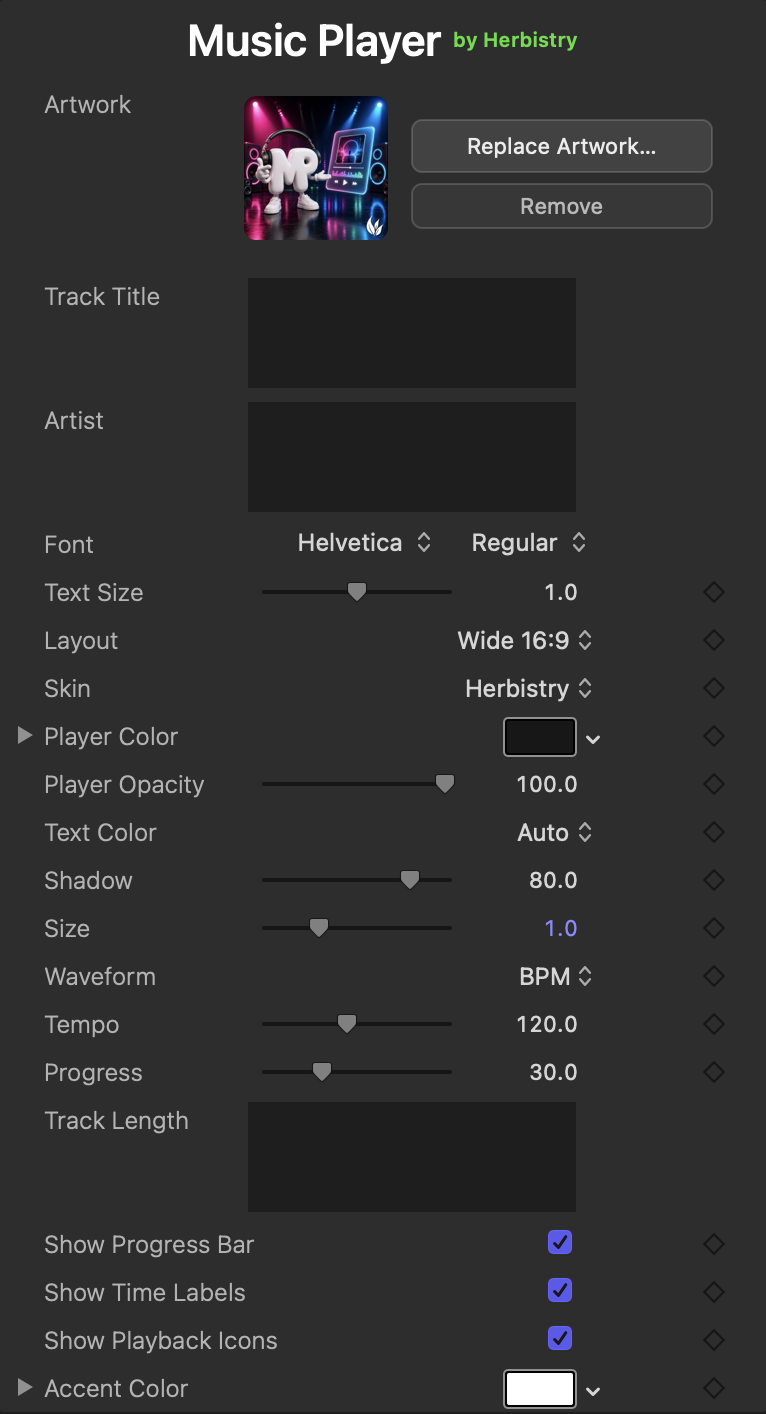
What it does
A player card you can make your own, with the fiddly parts already handled.
Your track, front and center
Drop in the album art, type the track title and the artist, and set the run time and how far along the bar sits. The card fills itself in around what you give it.
Seven skins
Frosted glass, a clean solid panel, a stripped-back Minimal look, plus four bold art skins. Pick a surface and the whole card changes with it. Set the color with one picker.
Any shape, any size
Three card layouts for a reel, a feed post, or widescreen, and a Size dial to place it anywhere in the frame. It draws itself fresh at any scale, so it stays crisp.
See-through by design
The background is transparent, so your footage, a color, or a music visualizer shows right through the empty space. The card is the clean layer up front.
A waveform on your beat
The waveform pulses to a tempo you type. No audio to wrangle and nothing to analyze, it just moves in time. Or set it still, or hide it, whatever the shot wants.
Free, no strings
No license key, no watermark, no trial clock, no upsell hiding inside. Download it and it is yours to keep, on as many Macs as you like.
Common questions
Is it really free?
Yes, all of it. No key, no watermark, no time limit, and no locked features waiting behind a paywall. Download it and keep it.
How do I install it?
Open the installer and follow along. It is notarized by Apple, so there are no security warnings to fight. If Final Cut or Motion was open, quit and reopen it so it picks up the new plugin.
Where does it show up in Final Cut?
In the Generators browser, under Herbistry. Look for Herbistry Music Player and drag it onto your timeline, over your footage or a background. It is a generator, not a clip effect, so it rides on its own layer.
Does the waveform react to my music?
Honest answer: no. Final Cut will not let a generator hear your timeline, and Music Player does no audio analysis on purpose. The waveform pulses to a tempo you type instead. If you want visuals that actually move with the song, that is what Audio Effector: Equalizer and Mimic are for, and they run right behind this card since the background is see-through.
Can I use it in my videos, even ones I make money from?
Yes. Use it in your projects, personal or commercial, and keep every cent you make from them. Just don't resell or redistribute the plugin itself.
Get Herbistry Music Player
Herbistry Music Player for Mac. Free to download, free to keep. Install it, drop it on your timeline, and you have a now-playing card in about a minute.