 Fordee
Guide · Final Cut Pro
The best music visualizer for Final Cut Pro
"Best" gets thrown around a lot, so let's be useful about it. Here's what actually separates a music visualizer worth using from one that looks like a screensaver from 2004, and then the one we'd point you to. Full disclosure up front: we make one. I'll be straight about why, and about what it isn't.
What makes a good one
The best music visualizer for Final Cut reacts to your real audio, gives you enough styles that it doesn't look generic, runs in real time, still works with no song loaded, and exports clean once you own it.
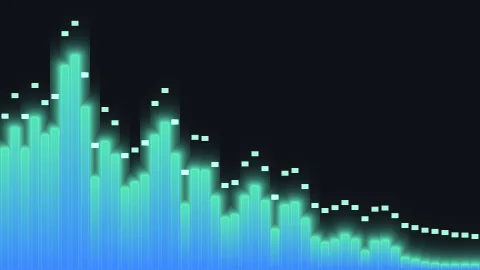
Start with the one that matters most: it has to react to your actual track. Plenty of things call themselves visualizers and just loop a pre-baked animation that ignores your audio completely. The bars move, sure, but they're not moving to your song, and it shows. A good one reads the audio, so the bass hits the low bars and the highs sparkle up top, on your track, not a stock one.
Then, range. One style is a gimmick. You want spectrum bars when you want bars, a waveform when you want a waveform, radial rings when you want something different, so your videos don't all look like the same template.
After that it's the practical stuff: it should run in real time so you're not rendering every time you nudge a slider, it should still work when there's no song in the project so you can build a look off a BPM, and once you pay for it your exports should come out clean, no watermark left behind. Bonus points if it runs in Motion too, not just Final Cut.
What to watch out for
Skip anything that fakes the reaction, only exports clean on a subscription you didn't want, or crawls on your machine. Those are the three that bite people.
The fake-reaction one we covered, and it's the sneakiest, because in a five-second preview you can't always tell. If it doesn't ask for your audio anywhere, it isn't listening to your audio anywhere.
The other trap is the watermark that never leaves, or an export that's locked behind a monthly plan for a one-off video. Paying is fine, that's the deal, but you should know whether you're buying it once or renting it forever, and whether the version you paid for exports clean.
Last one, performance. You want it running in real time so you're not baking a render every time you nudge a slider, and built for Apple Silicon so it stays smooth on a modern Mac. If a tool feels sluggish just scrubbing the timeline, that's your answer.
Our pick, and the honest catch
We'd point you to Audio Effector: Equalizer, because it's built to every one of those criteria. It's ours, so weigh that, but the free trial means you don't have to take my word for it.
It reacts to your real track, so the bars actually move with your song. It ships ten styles, from tall spectrum bars to a waveform to radial rings, so your clips don't all look the same. It runs real-time on Apple Silicon, it still dances off a BPM when there's no song loaded, and once you drop in a license key your exports come out clean. It runs in both Final Cut Pro and Motion. That's the whole checklist above, on purpose.
Now the honest catch, two of them. It's a generator, so it works a little differently than a clip effect, your background goes on the track underneath it, and the guide on how to add a music visualizer in Final Cut walks that in a minute. And it's Apple Silicon only, so an old Intel Mac is out. If those two are fine for you, I think it's the best pick going.
The trial isn't a locked-down demo either. Every style, every effect, every preset works, with a small watermark over the output so you know you're on the trial. Build your whole look first, and only buy if it does what you need.
And you own it. One purchase, no subscription, no monthly fee hanging over a tool you use on the odd video. A lot of the big Final Cut plugin names have drifted to rentals lately, so it's worth saying plainly: buy this one once and it's yours.
Audio Effector: Equalizer
A music visualizer generator for Final Cut Pro and Motion. Reacts to your real audio, ten styles, rainbow color, stackable animation effects, and a beat mode for no-song projects. Real-time on Apple Silicon. Try every style and effect free, then it's a one-time 59.99 dollars that covers up to two of your Macs.
Free trial, then $59.99 once. Two Macs.
Best is whatever gets your track looking like it sounds without eating your afternoon. Try it on your own song and let the video tell you.